Looking for creative ways to engage your students? Word clouds can be a powerful visual tool in the classroom. Teachers and educators can use word clouds to highlight key vocabulary, introduce new topics, summarize reading passages, or spark classroom discussions. They’re easy to make, fun to share, and perfect for both in-person and remote teaching.

1. Presentation Slides and Lecture Material
Want to make your lecture slides or study handouts more engaging? A word cloud is a powerful way to visually summarize key concepts from your lesson or presentation. Consider using a word cloud as a discussion starter, a slide background, or a visual summary slide at the end. Some teachers also use word clouds as cover images for printed materials, study packets, or digital handouts.
Use WordCloud.app to analyze your lecture text and instantly generate a word cloud from the content, or build one manually to highlight specific points.
For best visual impact, choose a background image that fits the topic, an appropriate shape, and use a couple of different fonts to keep it interesting. High-contrast colors ensure readability, while more muted shades create a stylish effect. Read also: Best Practices for Word Clouds.
2. Word Bingo
Turn learning into a game with word cloud bingo. Display a large word cloud on the board or screen, and challenge your students to find specific words: give them definitions, clues, or ask them to spot newly learned vocabulary. It’s a simple but effective way to reinforce word recognition and subject-specific terminology.
This activity works great in language classes, science topics, or even for holiday-themed lessons. You can also invite students to contribute words beforehand, making the game more personal and engaging. (Read on to learn about collaborative word clouds!)
See examples of word bingo word clouds »
3. Word Lists
Word clouds are perfect for visualizing vocabulary. Consider making a word cloud if your students:
- are learning new words;
- summarising what they’ve learned this week, month, or semester;
- are preparing to study a new topic.
A thematic word cloud makes words more memorable.
Here are a few creative ideas:
- Adjectives in their native language or foreign languages
- Key concepts from a unit in science, history, or literature
- Words related to classroom rules or values (e.g., respect, curiosity, kindness)
- Summarize what they’ll explore in the in the upcoming school year – hang up a poster in the classroom for a fun reminder.
Tutorial: how to make a word list.

4. Creative Homework Assignments
Let students turn words into art all by themselves. Assign them to create a word cloud on a specific topic — it’s a creative and engaging way to reinforce what they’re learning.
Some topic ideas:
- Celebrate holidays like Mother’s or Father’s Day, Christmas, or Earth Day
- Summarize a book, poem, or historical figure
- Reflect on a recent field trip or science experiment
- Describe what they love (or don’t!) about a school subject.
Students can present their word clouds in class, hang them on the wall, or include them in their portfolios. It’s a low-pressure, high-creativity assignment that works especially well for remote or hybrid learning.
5. Collaborative Student Work
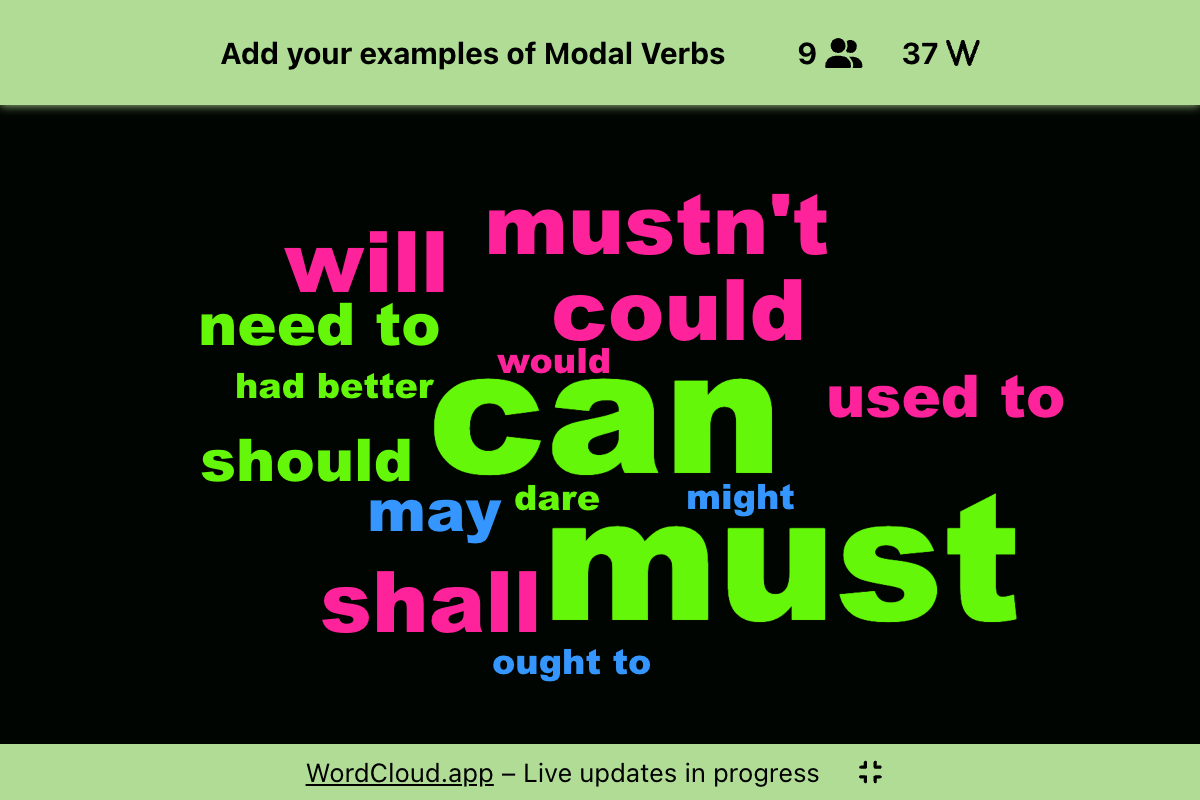
Collaborative word clouds are a great way to engage your entire class. Assign a topic — for example, favorite books, science terms they learned this week, or adjectives that describe a character in a book they have been assigned to read — and let students contribute words to the same word cloud in real time.
You can:
- Share the same cloud link with the whole class or divide them into small groups.
- Set a deadline for submissions or build it live during class.
- Use Presentation Mode to display the growing word cloud on a projector or shared screen.
- Here are 6 more ideas about using collaborative word clouds in education.
This is ideal for both remote learning and in-person classrooms. Students can access the collaborative word cloud from their own devices right away, no sign-up needed.
Learn how to create collaborative word clouds in this tutorial.
6. Gather Feedback from Students
Use a collaborative word cloud to collect feedback from students in an easy, visual way. Ask them to submit one or several words or phrases about how they felt about a lesson, a project, or the entire school year.
Some ideas:
- “What was your favorite part of this lesson?”
- “Which topic was most challenging?”
- “Describe this school year in one word.”
- Here are some more ideas for asking for feedback after a lecture or a presentation.
This helps students reflect while giving you quick insights into their experience, and it works great in both physical and virtual classrooms.
Be prepared for cheeky answers and honest opinions!
See also: How to Create a Collaborative Word Cloud.
7. Icebreaker Activities at the Start of the Year
Start the school year by letting students describe themselves in a shared word cloud. Ask them to each add a few words: hobbies, favorite subjects, favorite food, or a fun fact. It’s a light way to get to know each other and build classroom connections. Use presentation mode to show the result on the big screen.
8. End-of-Year Recap Word Clouds
Create a word cloud to sum up the school year: important topics, favorite memories, class jokes, field trips, or even classroom inside references. You can do it collaboratively, or prepare one as a gift for the class.
9. Word Clouds About Your Students
Parting with your students for the summer or – gasp! — forever? Make each one a personal word cloud just for them. It’s a meaningful and creative way to say goodbye.
Some tips:
- List what you know and appreciate about them: kind, adventurous, curious, loves learning, great with animals, fun, loyal friend.
- Pin their name in large letters in the center.
- Use their photo as the background or pick an image that reflects their interests (flowers, sweets, sports, coins, books).
- Choose a shape that relates to their hobbies (a football, a flower, a guitar, a book) or the first letter of their name, or perhaps a graduation cap.
This is a very nice, thoughtful, and personal gift – something they’ll keep and remember.
Get started: make a word cloud for your next lesson. Head to the Dasboard right now.
Related Posts